
SEO Revenue Forecasting
How to estimate the financial impact of your SEO efforts.
 Andrew Fennell | Last updated 10 September 2026

Most SEO forecasts tell you how much traffic you could generate. This guide shows you how to forecast what really matters: Revenue.
You’ll learn how to calculate the potential revenue uplift of any SEO opportunity with the exact forecasting model we use at RevPages.
You can also use the free SEO revenue calculator for instant forecasts, or download the free forecasting model spreadsheet to build your own revenue-focused SEO strategy.
Free SEO Revenue Calculator
See how much revenue a page could generate at Google positions #1, #2 and #3.
How to use the SEO revenue forecasting calculator
Enter your target keyword, monthly search volume, average customer lifetime value (LTV) and the type of page best suited to the search term, such as a feature page, competitor comparison or alternatives page.
The calculator estimates the monthly revenue potential of the page if it ranked in positions #1, #2 or #3 in Google.
Forecasts are calculated using the RevPages SEO revenue forecasting model, which combines expected organic click-through rates (CTR) for each ranking position with typical conversion rates for different page types and your customer LTV.
These figures are estimates rather than guaranteed revenue, but they provide a consistent way to compare the commercial potential of different SEO opportunities and prioritise the pages most likely to drive meaningful revenue.
What is SEO revenue forecasting?
SEO revenue forecasting is the process of estimating how much revenue a keyword or page could generate from organic search.
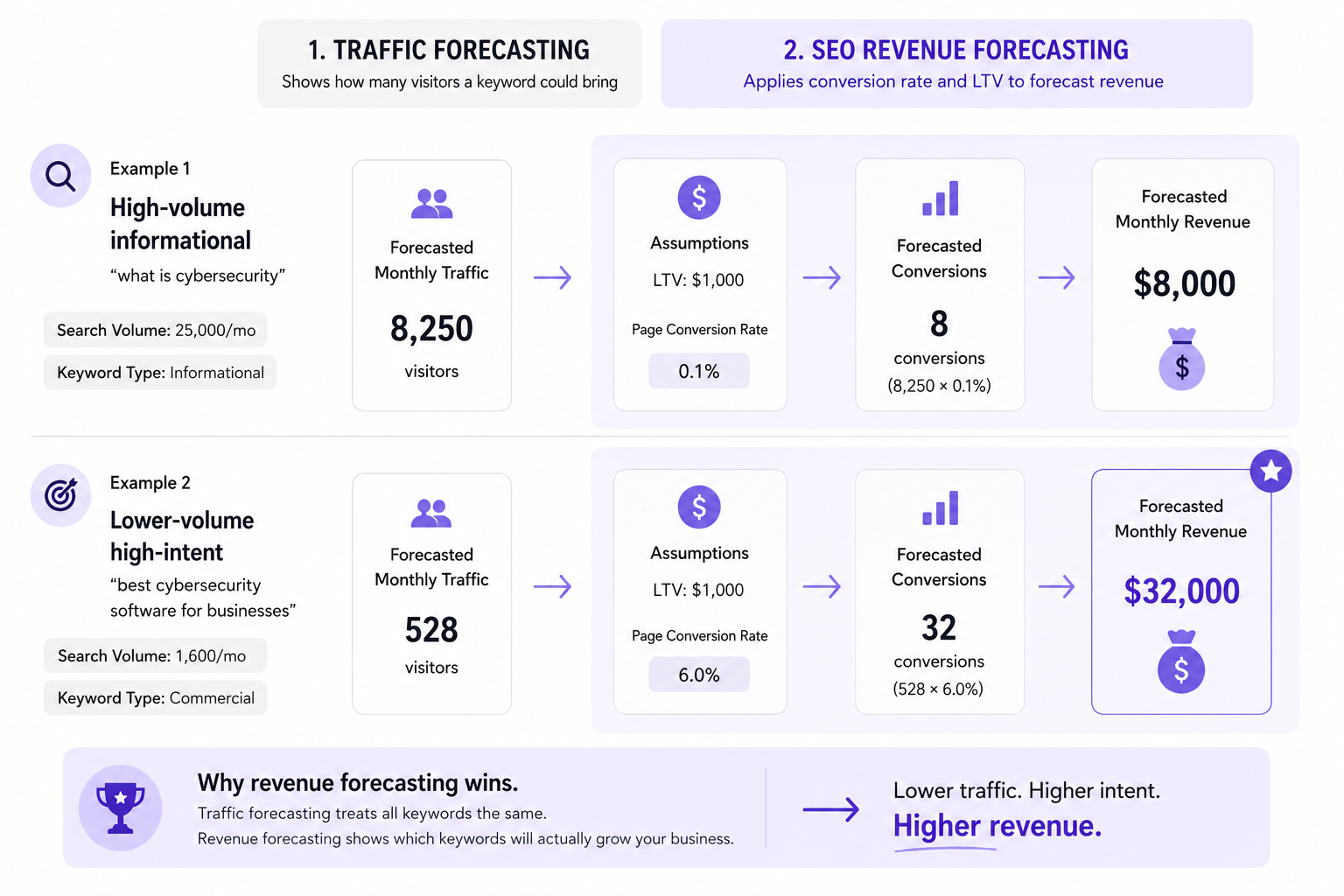
Traditional SEO forecasts tell you how many people will visit the site.
They use search volume and expected click-through rates to estimate how many monthly visitors a page could attract at different Google ranking positions.
Revenue forecasting takes this a step further by pulling in sales and conversion data to estimate how many of those visitors could become customers – and how much revenue those customers could generate.
For example, ranking #1 for a popular keyword might look attractive with an estimated 10,000 visits per month.
But if those visitors would never buy your product, that traffic would have no commercial value.
SEO revenue forecasting helps you put a potential £/$/€ value against the ranking instead.
Why forecast SEO revenue?
SEO teams often have hundreds or thousands of keywords they could target, but limited time and resources to create pages for them.
Revenue forecasting helps you work out which opportunities are actually worth pursuing.
Instead of prioritising a keyword simply because it has high search volume, you can compare opportunities based on the revenue they’re capable of generating.
This can help you:
- Prioritise SEO opportunities: focus your resources on keywords and pages with the greatest revenue potential.
- Compare keywords more effectively: a lower-volume commercial keyword can sometimes be worth far more than a high-volume informational one.
- Plan SEO budgets: compare the potential return of an SEO opportunity against the cost of creating and promoting the page.
- Build stronger business cases: show stakeholders why a particular SEO investment is worth making.
- Demonstrate the value of SEO: translate rankings and traffic into revenue figures that are much easier to connect to wider business goals.
Traffic still matters, but not all organic traffic has the same value.
Revenue forecasting gives you another layer of information to help decide where your SEO efforts are most likely to pay off.
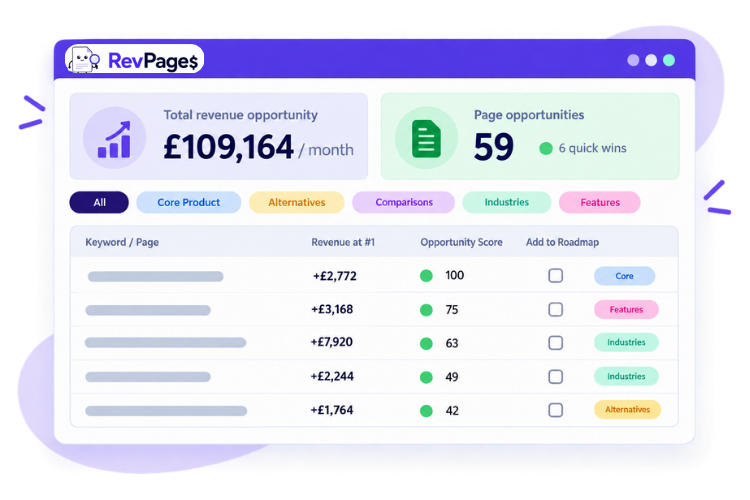
Discover your biggest SEO revenue opportunities in 90 seconds
Instantly prioritised by revenue potential and ranking achievability
How to forecast SEO revenue
Forecasting SEO revenue isn’t actually as complex as it might sound.
You simply need to combine readily available search data with some basic information about your customers and apply a straightforward revenue calculation.
What you’ll need:
Once you have these, you can build a simple SEO revenue forecast in a few steps.
Process overview
The TL;DR for each keyword you want to forecast:
- Focus on high-intent keywords
- Obtain monthly search volumes
- Estimate how many searchers will click your page
- Estimate how many visitors will become customers
- Apply your customer LTV to calculate total monthly revenue
- Subtract existing revenue to calculate revenue uplift.
1. Focus on high-intent keywords
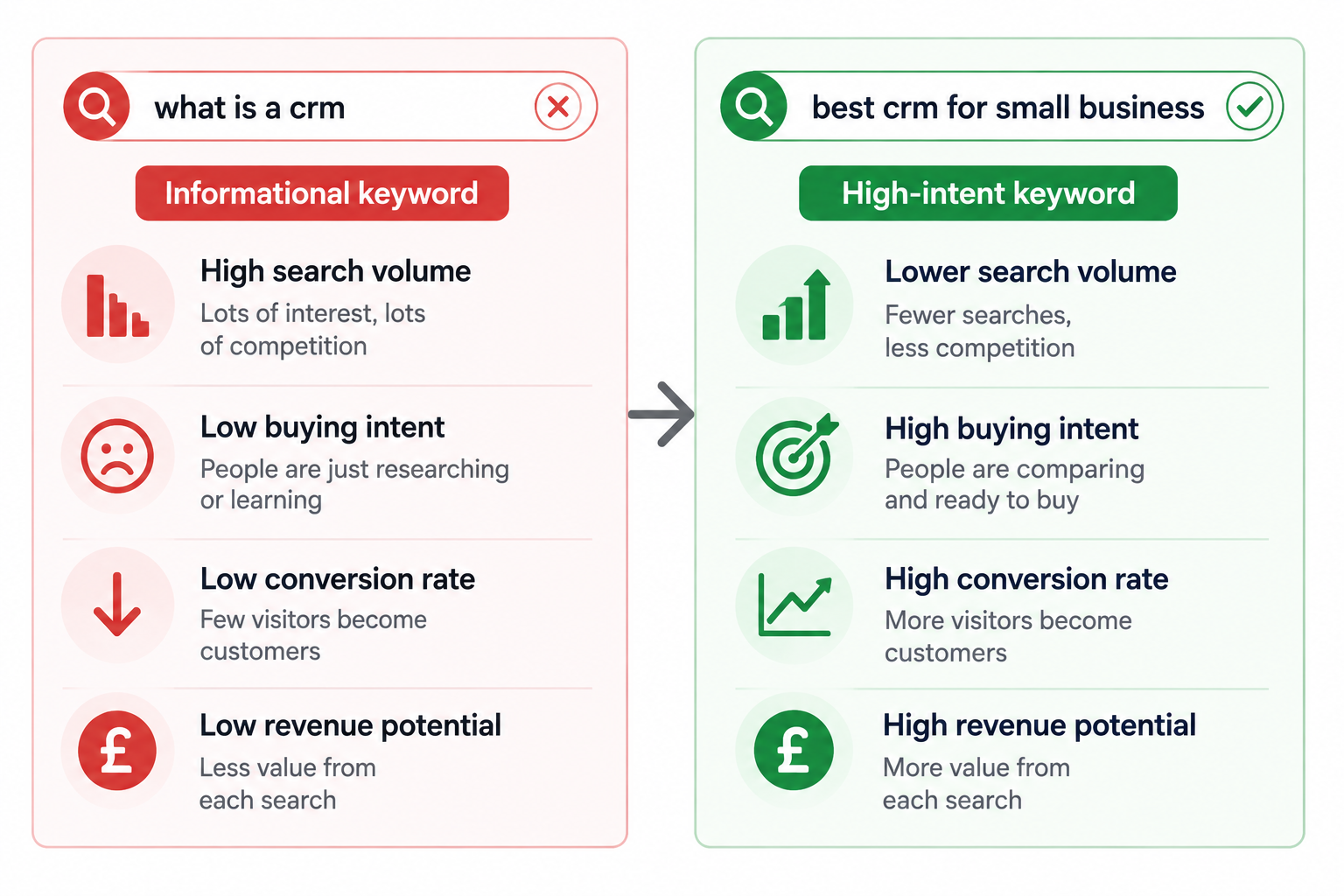
If your focus is revenue, forecast the keywords that have a clear connection to your product or service and are likely to be searched by people who are considering a purchase.
These are often known as high-intent or commercial keywords, and could include searches for:
You can forecast revenue for informational keywords, but their visitors are much less likely to become customers – and many informational queries are now answered directly in AI overviews, resulting in fewer clicks to your site.
Sticking with high-intent keywords keeps your forecasts focused on the SEO opportunities most likely to have a meaningful impact on revenue – so you’re forecasting what really matters to the business.
Time saving tip: RevPages can find all of your website’s most valuable high-intent keyword opportunities and forecast their revenue in 90 seconds
2. Find the monthly search volume for your keyword
Start with the estimated number of times your target keyword is searched each month.
You can get this date from any good keyword research tool, such as Ahrefs, Semrush or SE Ranking.
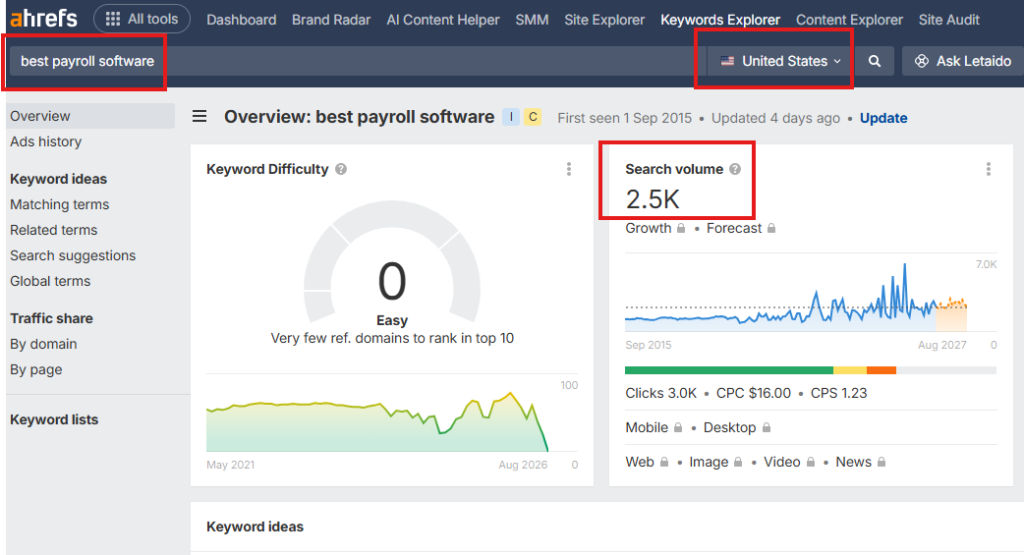
For example, imagine you’re a SaaS company targeting:
Keyword: project management software for agencies
Monthly search volume: 1,000
This doesn’t mean you can expect 1,000 visitors each month. Only a percentage of those searchers will click your result, depending largely on where you rank.
So search volume is the starting point – not the traffic forecast.
Add your profitable keywords to a spreadsheet, and include a field for:
- Search volume
- Page type

Around 20–60 high-intent keywords should give you enough opportunities to build a focused SEO strategy capable of making a meaningful impact on revenue.

Download my free SEO revenue forecasting spreadsheet
Includes all columns and formulas needed for our forecasting model
3. Estimate how many searchers will click your page

Next, estimate your organic click-through rate (CTR) at the ranking position you want to forecast (The number of people who will click through to the page)
Pages ranking higher receive a larger share of clicks than pages further down the results, so you need to apply a consistent CTR to each position in your calculations.
For example, the RevPages model currently uses the following Google position CTR assumptions, based on data from multiple studies and sources across the search industry:
| Google position | Estimated CTR | Visits from 1,000 searches |
|---|---|---|
| #1 | 33% | 330 |
| #2 | 18% | 180 |
| #3 | 12% | 120 |
| #4 | 7% | 70 |
| #5 | 5% | 50 |
| #6 | 4% | 40 |
| #7 | 3% | 30 |
| #8 | 2% | 20 |
| #9 | 1.5% | 15 |
| #10 | 1% | 10 |
So if our example keyword receives 1,000 searches per month, ranking #1 would produce an estimated:
1,000 searches × 33% = 330 organic visits per month
At position #3, the same keyword would produce:
1,000 searches × 12% = 120 organic visits per month
Of course CTR estimates will never be exact. Real-world results will fluctuate.
But for forecasting purposes, the aim isn’t to predict the exact number of clicks. It’s to use a consistent set of assumptions that lets you compare opportunities.
To do this in your spreadsheet, simply add a column for “visitors” and then add the formula for calculating the visitor number (e.g. B2*0.33 for position #1)
Or you can simply use my forecasting spreadsheet which has the formulas included.
I like to aim for #1 in my forecasts to be as ambitious as possible – but you could forecast position #3 if you want to be more conservative.
4. Estimate how many visitors could become customers
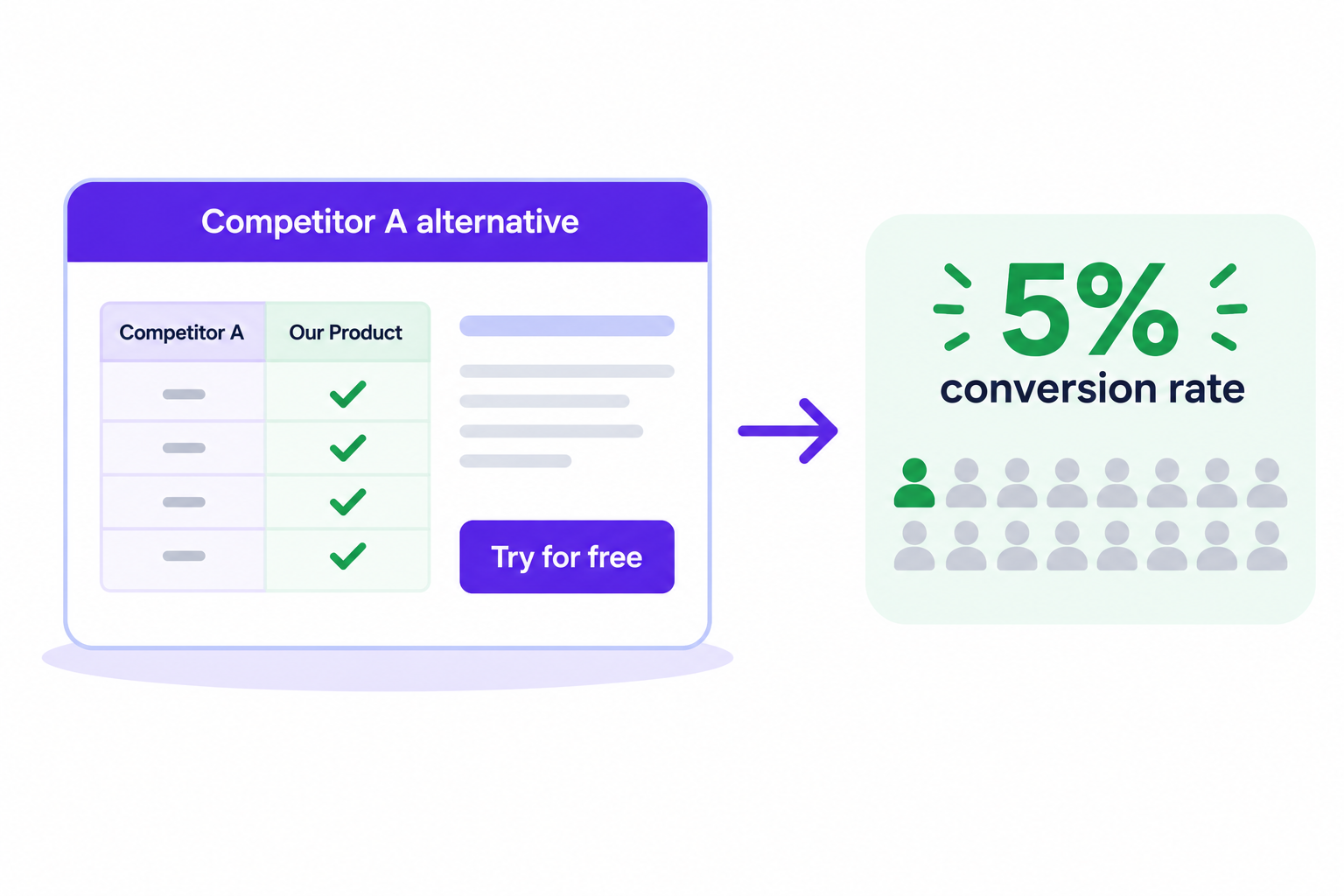
Next, estimate how many of your organic visitors could become customers.
This is done by applying the page conversion rate to the number of visitors
The Conversion rate is the percentage of people who land on the page and go on to become a customer.
Conversion rates can vary significantly depending on the type of page and the intent behind the search.
For example, someone searching for “Asana vs Monday” is actively comparing products and is likely to be much closer to making a purchase than someone reading a general informational article like “what is project management”.
For this reason, the RevPages forecasting model applies estimated benchmark conversion rates to different types of commercial SEO pages:
| Page type | Example keyword | Estimated conversion rate |
|---|---|---|
| Core Product | project management software | 5% |
| Competitor Alternatives | Asana alternatives | 5% |
| Competitor Comparisons | Asana vs Monday | 7% |
| Industry | project management software for agencies | 4% |
| Features | client project management software | 3% |
| Best-of Lists | best project management software | 2% |
If you have reliable conversion data from your own website, use that instead of these assumptions. Your own data will usually provide a more accurate forecast.
If you don’t have enough data yet, these benchmark rates provide a realistic starting point for comparing different SEO opportunities.
For example, if a competitor comparison page is expected to receive 330 organic visitors per month, applying the 7% conversion rate gives:
330 visitors × 7% conversion = 23.1 customers per month
To action this in your spreadsheet, add a column for “sales/customer” and insert the formula correct formula for the page-type being forecast (e.g. C4*0.04 for a industry page at 4%) again these formulas are included in my spreadsheet and applied automatically when page-type selected.
How much SEO revenue are you leaving on the table?
RevPages uncovers your biggest opportunities and shows you which ones are most valuable… and achievable.
5. Apply your customer LTV to calculate total monthly revenue
The next step is to apply your average customer lifetime value (LTV) to the number of customers you expect the page to generate.
Customer LTV is the average amount of revenue you expect to earn from a customer over their entire relationship with your business.
For example, if your average customer pays £200 per month and stays for 10 months, their LTV would be:
£200 × 10 months = £2,000 LTV
You can now combine everything you’ve calculated so far to forecast the revenue potential of your keyword.
The full SEO revenue forecasting formula is:
Monthly search volume × expected CTR × page conversion rate × customer LTV = estimated revenue
Using a keyword with 1,000 monthly searches as an example:
| Input | Value |
| Monthly search volume | 1,000 |
| Expected CTR at #1 | 33% |
| Estimated organic visits | 330 |
| Page conversion rate | 3% |
| Estimated customers | 9.9 |
| Customer LTV | £2,000 |
| Estimated monthly revenue potential | £19,800 |
So the complete calculation is:
1,000 searches × 33% CTR × 3% conversion × £2,000 LTV = £19,800
This means that one month’s organic traffic at position #1 could generate customers worth an estimated £19,800 in lifetime revenue.
It’s important to remember that this doesn’t mean £19,800 will necessarily arrive in your bank account that month. If you run a subscription business, that revenue could be generated over the entire lifetime of the customers acquired during that month.
You now have a revenue forecast you can use to compare the commercial value of different SEO opportunities.
In your spreadsheet: Add a Forecast Revenue column and use the formula above to calculate the estimated revenue for each keyword. Or just steal my spreadsheet.
6. Forecast the additional revenue available from an existing page
If you already rank for a keyword, the potential revenue uplift is arguably the most important figure in your forecast.
The total revenue potential of a #1 ranking is useful, but it doesn’t account for the traffic and revenue you’re already generating from your current position.
Instead, calculate the difference between your estimated revenue today and the estimated revenue at your target position.
For example, suppose you’re currently ranking #5:
| Position | Estimated monthly revenue |
| Current position #5 | £3,000 |
| Target position #1 | £19,800 |
| Potential revenue uplift | +£16,800 |
The calculation is simple:
Revenue at target position − revenue at current position = potential revenue uplift
£19,800 − £3,000 = +£16,800
So although the keyword has a total revenue potential of £19,800 at #1, the actual opportunity available to you is an additional £16,800.
This is the figure you should pay most attention to when comparing existing rankings. It tells you how much additional revenue could potentially be unlocked by improving a page – and gives you a much better basis for deciding where to invest your SEO resources.
In your spreadsheet: Add a Revenue Uplift column and subtract the estimated revenue at each keyword’s current position from its estimated revenue at your target position.
SEO Revenue Forecasting Model
The RevPages SEO Revenue Forecasting Model estimates the additional customer lifetime revenue that could be generated from one month’s organic search traffic by moving a keyword from its current Google position to a target position.
The model uses the following calculation:
Revenue uplift = Target ranking revenue − Current ranking revenue
Where:
Ranking revenue = Search volume × position CTR × page conversion rate × customer LTV
Example revenue forecast
Take a SaaS business targeting a keyword with 1,000 monthly searches, a 5% page conversion rate and an average customer LTV of £2,000.
The page currently ranks at #5 and we’re forecasting the impact of reaching #1.
| Calculation | Current position #5 | Target position #1 |
| Monthly search volume | 1,000 | 1,000 |
| Position CTR | 5% | 33% |
| Estimated organic visits | 50 | 330 |
| Page conversion rate | 5% | 5% |
| Estimated customers | 2.5 | 16.5 |
| Customer LTV | £2,000 | £2,000 |
| Estimated revenue | £5,000 | £33,000 |
The final revenue uplift calculation is:
£33,000 target revenue − £5,000 current revenue = +£28,000 forecast revenue uplift
So, under these assumptions, moving the page from position #5 to #1 could generate an additional £28,000 in customer lifetime revenue from each month’s organic search traffic.
For a keyword where the site doesn’t currently rank, current organic revenue is treated as £0, meaning the full estimated revenue at the target position represents the potential uplift.
Turn hours of keyword research into 90 seconds
Automatically discover high-intent opportunities, forecast their revenue potential and see what to target first.
Warning: Don’t treat the forecast as guaranteed revenue
SEO revenue forecasts are estimates.
Search volumes change, CTR varies between SERPs, conversion rates differ between businesses and there is never a guarantee that a page will achieve the ranking you’re forecasting.
The purpose of the forecast isn’t to claim that a keyword will definitely generate an exact amount of revenue.
It’s to create a consistent framework for comparing SEO opportunities in commercial terms.
If the same assumptions are applied across your keywords, you can make much better decisions about which pages deserve your time, budget and attention.
Ultimately it allows you to focus on the pages that are most likely to bring you the biggest revenue uplifts.
Let RevPages handle all of this for you… and more
RevPages automates the entire process, from finding high-intent SEO opportunities to forecasting their potential revenue uplift and prioritising them by ranking achievability.
It then turns your best opportunities into a practical content roadmap, generates AI content briefs and tracks performance by revenue – so you can focus on the SEO work most likely to drive revenue.