
The best keywords for SaaS sales and revenue
The 7 types of SaaS keywords that attract customers and drive signups.
 Andrew Fennell | Last updated 10 November 2026
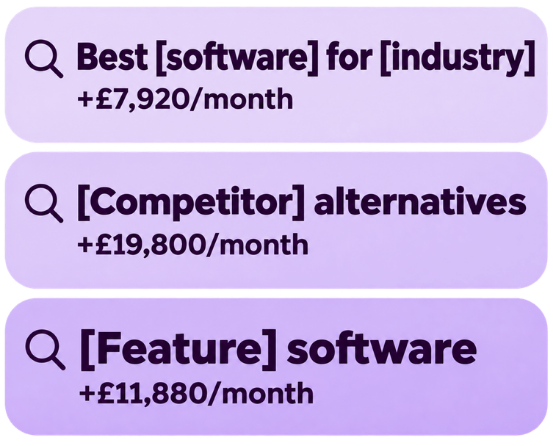
The goal of SEO for a SaaS business is not just to generate traffic. It’s to attract buyers.
I’ve learnt that first-hand from scaling and selling my own SaaS business.
Blog posts and how-to-guides can generate a lot of traffic – but most of those visitors won’t sign up for your product – because they aren’t actively looking to buy anything.
If you want to generate revenue from SEO, you should focus on these 7 buying keyword groups for SaaS – where searchers are much closer to making a purchase.
Competitor alternative keywords
Format: “[Competitor name] alternatives”
When someone searches for “Asana alternatives”, they already know what Asana does and want to see what else is out there. They might want something cheaper, easier to use or better suited to the way their team works either way – they are looking to buy soon.
Competitor alternative keywords consistently rank amongst the most profitable keywords for SaaS websites when running a RevPages analysis.
Example searches
Example pages
Asana alternatives (by ClickUp)
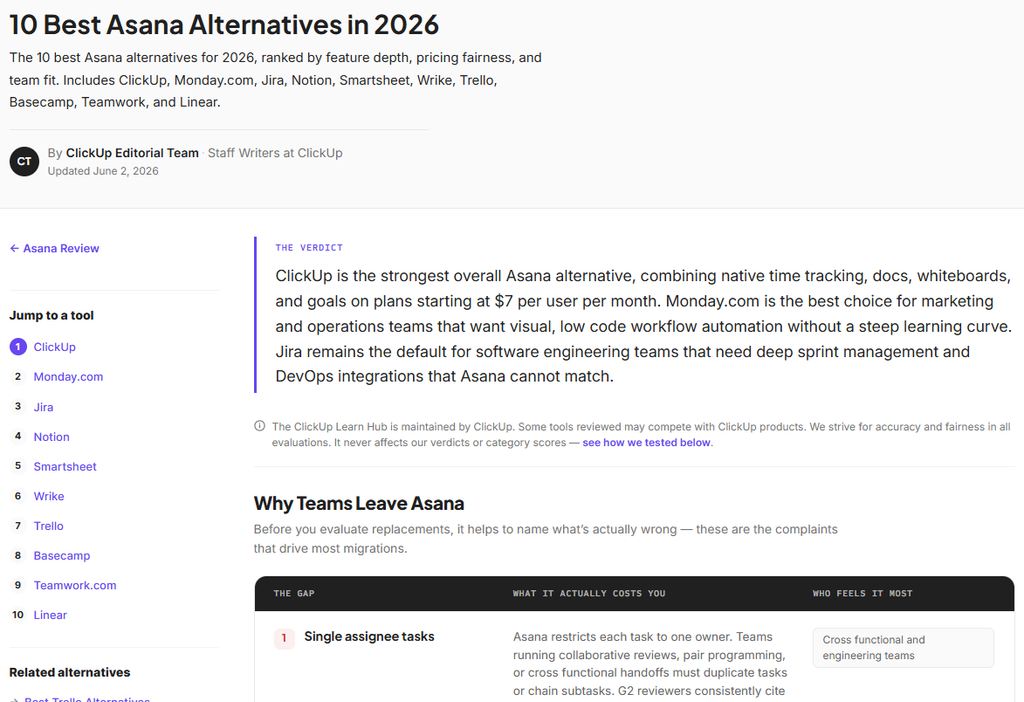
ClickUp’s Asana alternatives guide lists ten project management tools and gives readers tips on how to switch.
Typeform alternatives (by Trello)
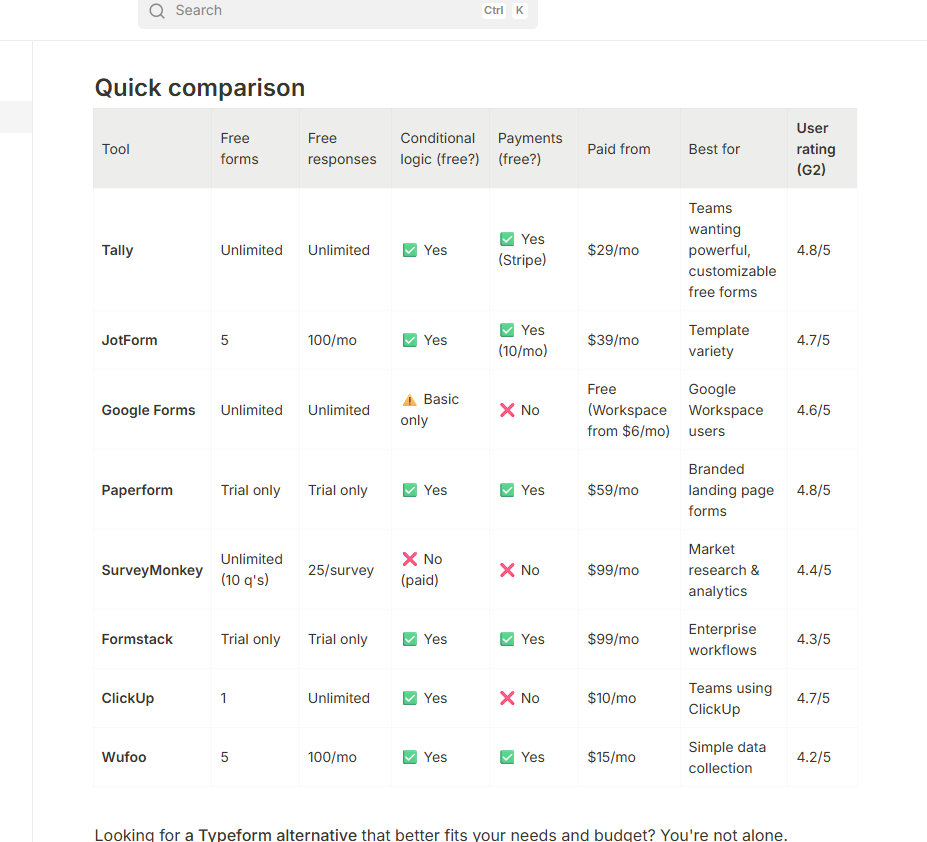
Tally’s Typeform alternatives guide compares form builders in a table, so readers can quickly check which tools have the features they need.
- Help Scout’s Zendesk page shows how the two tools handle things like ticket routing and self-service, including features buyers might miss if they switch. See the Help Scout page
- Plausible’s Google Analytics alternatives guide rounds up analytics tools, giving readers a starting point for finding a product that fits their needs. See the Plausible guide
- EmailOctopus’s Mailchimp alternatives guide shows what different email tools would actually cost if you had 5,000 or 25,000 subscribers. See the EmailOctopus guide
Why these searches convert well
Some of these people already pay for the competitor’s software. Maybe the price has gone up, they’ve hit a limit or their team keeps running into the same problem. If their renewal is coming up, they may already have a budget and a date by which they need to decide. Show them a tool that solves the problem and explain how they can move their data, and they have a good reason to try it.
Others are buying for the first time. They know they need this kind of software and are using a familiar name to start their search. They might still be a few weeks away from buying, but a good list can get your product onto their shortlist while they’re deciding what to try.
How to capture this search demand
Put together a shortlist of tools you’d genuinely recommend to someone looking to move away from the competitor. Include your own product at the top, and give readers some clear benefits to choosing you.
- Put a quick comparison table at the top. Show who each tool is best for, what it costs and the main reason to pick it. Readers can narrow down the list before getting into the details.
- Give each tool a clear reason to be on the list. One might be better for small teams on a budget, while another might handle a workflow the original tool makes awkward. Explain the trade-offs so readers can see which ones matter to them.
- Show what you found when you tried the tools. Add your own screenshots and explain what was easy, what took longer than expected and which features were locked behind a higher plan. Those details give buyers something they can’t get from a list of features copied from product pages.
- Cover the hassle of switching. Can buyers import their data? Will they have to rebuild their workflows? If a customer moved to your product from the competitor, share what the move involved and how long it took.
- Give readers a next step. Link to each provider so people can explore their shortlist. In your own product’s entry, make it easy to start a trial or book a demo.
How much revenue can these keywords generate?
Say your page ranks first for “Typeform alternatives”, gets 33% of the clicks from 2,000 monthly searches and turns 5% of those visitors into paying customers. Here’s what that could be worth.
| Keyword | Search volume | Visitors at #1 | Conversion rate | Sales | LTV | Revenue |
| Typeform alternatives | 2,000/month | 660/month | 5% | 33 new customers/month | £600 per customer | £19,800 |
Features and use-case keywords
Format: “[Feature] software” or “[task] tool”
Sometimes buyers search for the thing they need the software to do. They might never type “sales scheduling software” because the problem on their desk is getting inbound leads to the right rep. So they search for “lead routing software” instead.
One product can do several jobs like this, and each job can be a way for buyers to find you.
Example searches
Example pages
Auto Time Tracker (by Clockify)
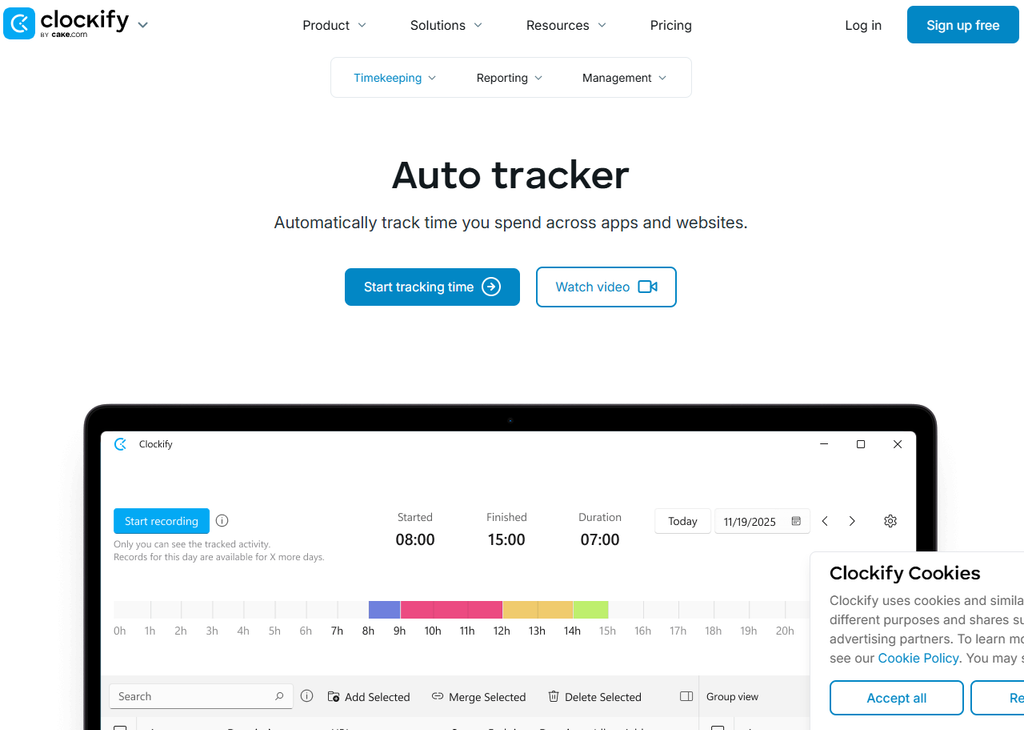
Clockify’s Auto Tracker shows how its records activity and lets users turn that activity into time entries.
Chrome Screen Recorder (by Loom)
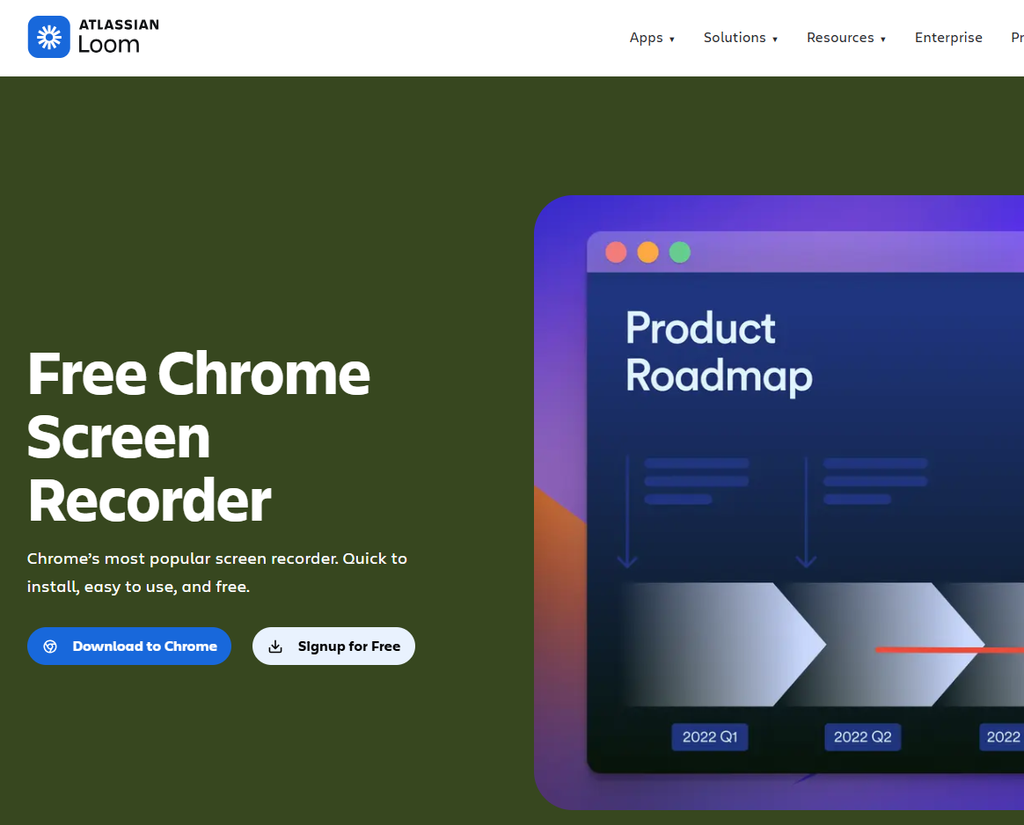
Loom’s Chrome screen recorder page shows how users can record their screen and share a video straight from Chrome. There’s a product preview and a button to install the extension right at the top.
- Calendly Lead Routing page shows how sales teams can ask leads a few questions and send them to the right person’s calendar. It gives buyers a concrete example of where the feature fits in their sales process. See the Calendly feature page
- Asana’s workflow automation page shows how teams can use rules to take care of repetitive jobs like assigning tasks or moving work to the next stage. See the Asana feature page Asana
- HubSpot’s email tracking page explains how sales reps can see when a prospect opens an email and use that information to time their follow-up. See the HubSpot feature page
Find your most valuable SaaS keywords in 90 seconds
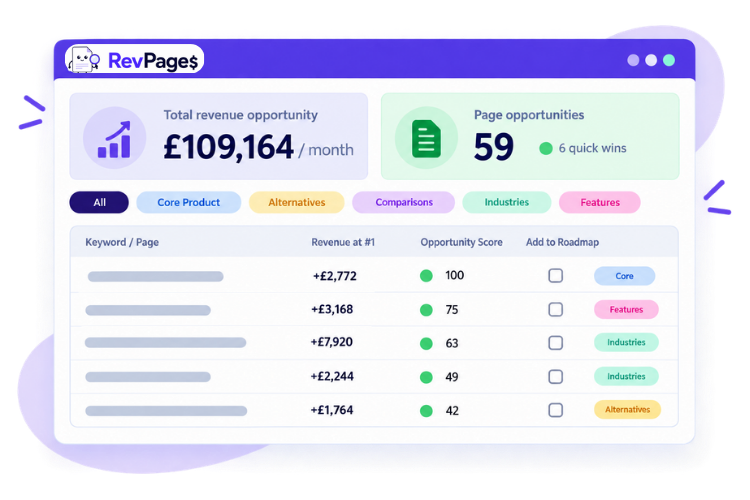
Revenue forecasted. Instantly prioritised by revenue-potential and ranking achievability.
Why these searches convert well
A feature search tells you what has to work before someone will sign up. If a sales manager needs to route leads by region, a general product tour gives them a lot to sift through. A page that shows how to route a UK lead to the UK team and handle the case where nobody is available – answers the question they came with.
Some visitors are looking for a tool that does just that one job. Others are checking whether your product can replace a tool they already pay for. Either way, showing the workflow makes it easier for them to decide whether to try it.
Whilst growing my previous SaaS business StandOut CV to £1M+ revenue, we published scores of use-case pages, and they were some of the best performing pages on the site.
How to capture this search demand
Build a page around one job your product does well. Start with the work the buyer needs to get done, then show how your product does it.
- Name the job up front. Use the words your buyers use. “Send each lead to the right sales rep” tells them more than your internal name for the feature.
- Show a real workflow. Use screenshots or a short video to walk through the setup and show what happens afterwards.
- Answer the practical questions. Explain what it integrates with, which plan includes it and what happens in common situations, like when a rep is away.
- Show how a customer uses it. A real routing rule or a before-and-after workflow makes the benefit easier to judge.
- Make it easy to try that feature. Send buyers to the relevant setup screen, demo or example so they can pick up where the page leaves off.
How much revenue can these keywords generate?
Say “lead routing software” gets 1,000 searches a month and your page ranks first, with a 33% click-through rate and a 3% visitor-to-paid conversion rate.
| Keyword | Search volume | Visitors at #1 | Conversion rate | Sales | LTV | Revenue |
| Lead routing software | 1,000/month | 330/month | 3% | About 10/month | £1,200 | £11,880 |
Find them and forecast their revenue in 90 seconds
Industry keywords
Format: “[Software category] for [industry]”
Adding an industry modifier to a search, like “accounting tool for law firms” – is a quick way for buyers to filter out tools that are unlikely to fit their specific needs. A restaurant looking for a till system will need different features to those in a clothes shop, so industry search terms allow you to attract a targeted section of users and provide tailored content to convert them.
Example searches
Example pages
Management software for landscapers (by Jobber)
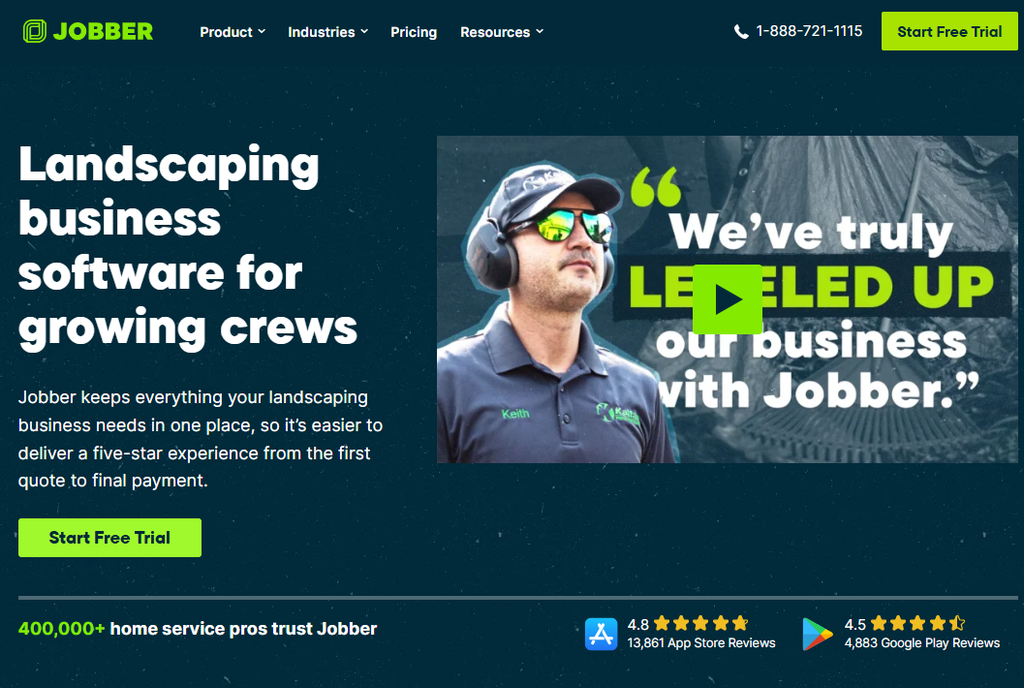
Jobber’s business management software for landscapers page shows how landscaping companies can quote jobs, schedule crews and invoice customers. It’s a good fit for a search like “landscaping business software”.
Rota software for healthcare providers (by Deputy)
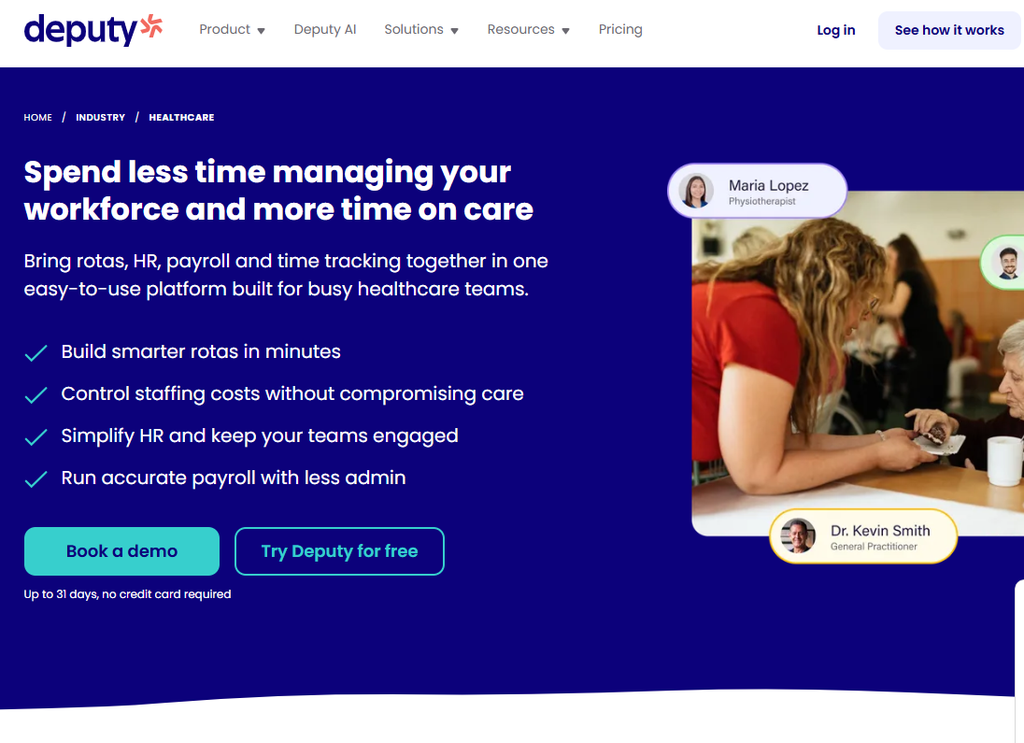
Deputy’s rota software for healthcare providers page focuses on how healthcare teams can plan shifts, fill gaps in the rota and manage payroll. It’s aimed at searches like “healthcare rota software”.
- Connecteam’s workforce management software for construction companies page shows how contractors can schedule crews and track hours across job sites. It fits searches like “construction workforce management software”. See the Connecteam page
- Housecall Pro’s business management software for plumbers page puts the product in the context of a plumbing business, from booking jobs to dispatching plumbers and collecting payments. It’s built around searches like “plumbing business software”. See the Housecall Pro page
- Shopify’s point-of-sale software for retailers page shows how shops can take payments in person and manage stock across their physical and online stores. It speaks to buyers searching for “retail POS software”. See the Shopify page
Why these searches convert well
The buyer usually knows what type of software they need and wants to see whether it’ll work in their business. They’re looking for familiar workflows, relevant integrations and proof that a business like theirs has made it work.
A landscaping company might want to see how to schedule recurring jobs, move a crew’s appointments when it rains and invoice several customers in one go. Seeing those jobs explained can give them enough confidence to book a demo.
Our recent conversion rate study found that industry pages convert at an average of over 4%.
How to capture this search demand
Create a landing page for an industry you already serve well. Start by talking to a few customers and finding out which jobs they rely on your product for.
- Open with a problem they recognise. Use a situation that happens in that industry and explain how your product helps. E.g. scheduling for engineering teams
- Walk through a typical day or job. Show how the pieces fit together, from taking an order or booking through to delivery and payment.
- Use examples from the industry. Show a real setup, sample dashboard or customer story featuring a business similar to the one searching.
- Cover the requirements buyers will ask about. Include relevant integrations, equipment, reporting or ways of working. Be specific about what’s supported.
- Use industry relevant testimonials. Show viewers real examples of customers in their field, and how they’ve benefited from using the tool.
How much revenue can these keywords generate?
Say a page ranking first for “scheduling software for landscaping companies” gets 33% of 500 monthly searches and 4% of those visitors become paying customers.
| Keyword | Search volume | Visitors at #1 | Conversion rate | Sales | LTV | Revenue |
| Scheduling software for landscaping companies | 500/month | 165/month | 4% | About 7/month | £1,800 | £11,880 |
Best-of list keywords
Format: “Best [software category]” or “best [software category] for [audience]”
A “best software” search usually means someone wants help whittling down a whole category to find the best solution for their business. They might know a few names already, but they want to see what else is out there and which tools are worth trying.
Example searches
Example pages
Best ecommerce software (by Shopify)
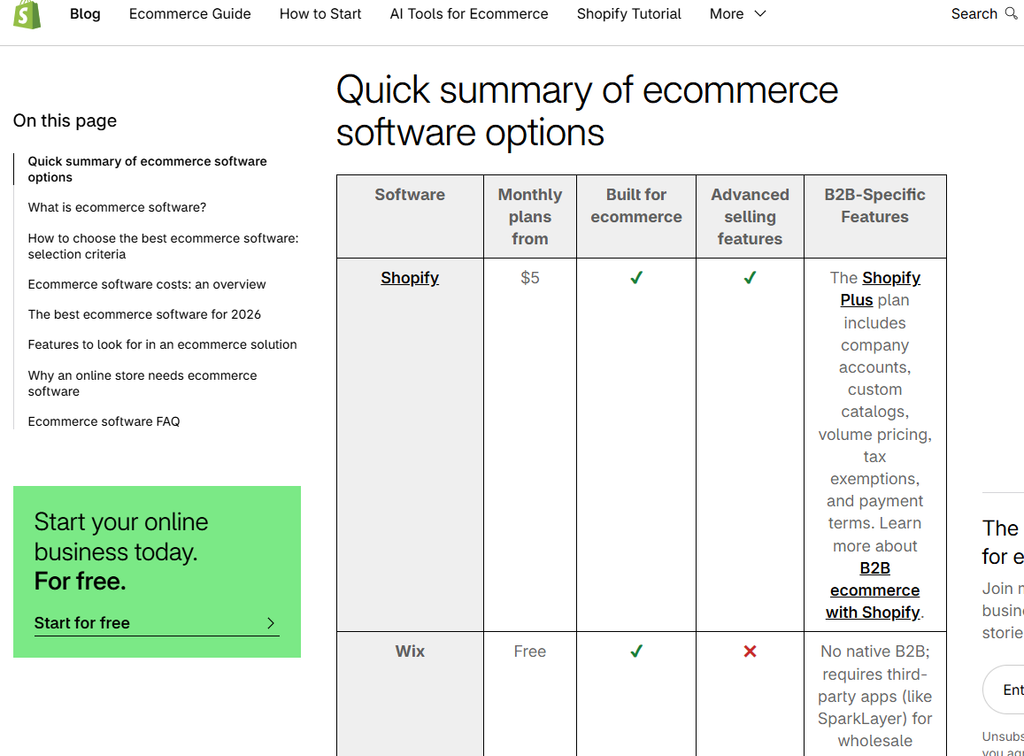
Shopify’s best ecommerce software list compares Shopify with platforms like Wix and WooCommerce. It covers what sellers need to weigh up, including payment fees, hosting and selling in person.
Best free PM software (by ClickUp)
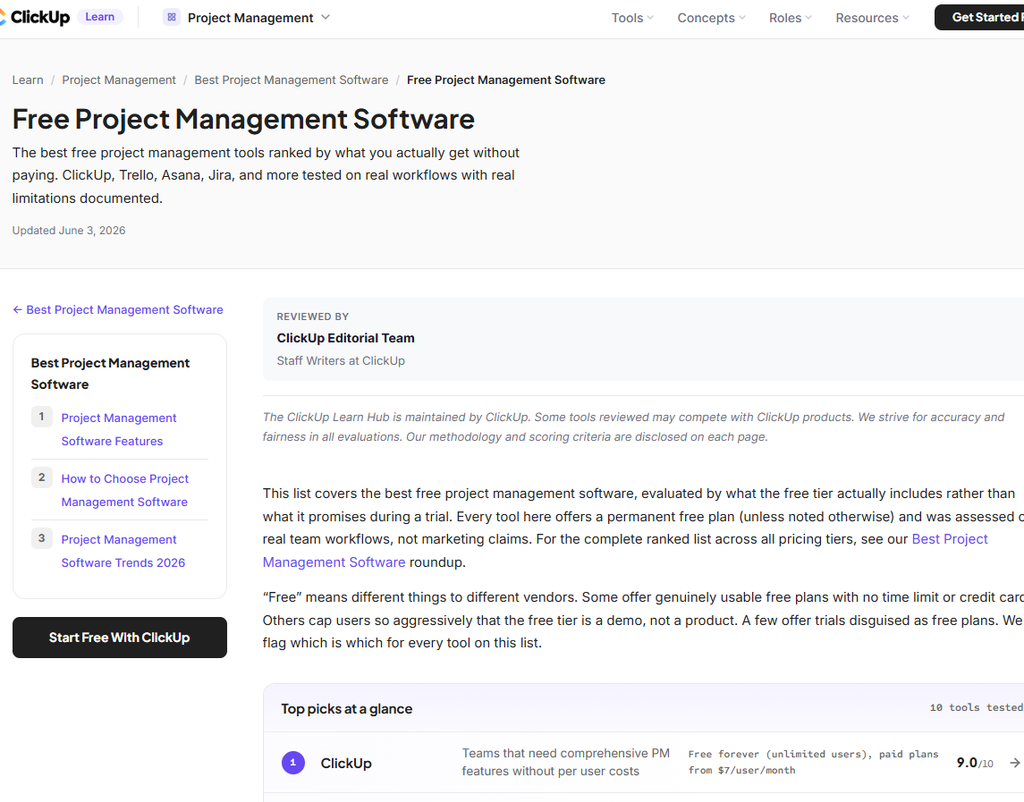
ClickUp’s best free project management software list includes ClickUp, Trello, Asana and Jira. It focuses on what teams can actually do on each free plan and where they’ll start to hit limits.
- HubSpot’s best live chat software list puts HubSpot Live Chat alongside other customer support tools. Its comparison table makes it easy to scan for features like chat routing and a shared inbox. See the HubSpot list
- Constant Contact’s best email marketing platforms list includes Constant Contact alongside tools like Klaviyo and MailerLite. See the Constant Contact list
- Tally’s best form builders with MCP support list compares Tally with Jotform and Typeform for people who want to create or manage forms through an AI assistant. It shows which integrations are live and what each free plan includes. See the Tally list
Turn hours of keyword research into 90 seconds
Automatically discover high-intent opportunities, forecast their revenue potential and see what to target first.
Why these searches convert well
The person searching has usually decided they need a tool and is working out which one to buy. This is your chance to get onto the shortlist and prove why you are the best solution for their problems.
Your product has a better chance of earning a trial when the reader can see exactly why it suits their situation. “Best for small teams that need to manage client approvals” gives them more to go on than “best overall”.
How to capture this search demand
Write a list of the best tools in the category, placing yourself at the top and giving an honest run down on the pros and cons of every solution.
- Put a shortlist at the top. Show each tool’s best fit, starting price and the main thing to check before choosing it.
- Explain how you picked the tools. Tell readers which jobs you tried, what plans you looked at and how you judged them.
- Show your working. Include your own screenshots, notes from testing and examples of where a tool made a task easier or harder.
- Give each tool a fair shot. Use the same criteria for your own product. Say who it suits and where another tool might be a better fit.
- Help readers take the next step. Link to each provider and give people a clear way to try your own product if it fits what they need.
How much revenue can these keywords generate?
Say your list ranks first for “best free project management software”, gets 33% of 2,000 monthly searches and turns 2% of visitors into paying customers over time.
| Keyword | Search volume | Visitors at #1 | Conversion rate | Sales | LTV | Revenue |
| Best free project management software | 2,000/month | 660/month | 2% | About 13/month | £600 | £7,920 |
Core product keywords
Format: “[Software category]”, “[product type] software” or “[product type] platform”
These are the searches that name what you sell. If you make accounting software, “accounting software” is your core product keyword. It covers the whole product, including the features and workflows people might search for separately.
These searches naturally bring in high volumes of ready-to-buy customers, but they are often firecly competitive.
Example searches
Example pages
Project Management Tool (by Asana)
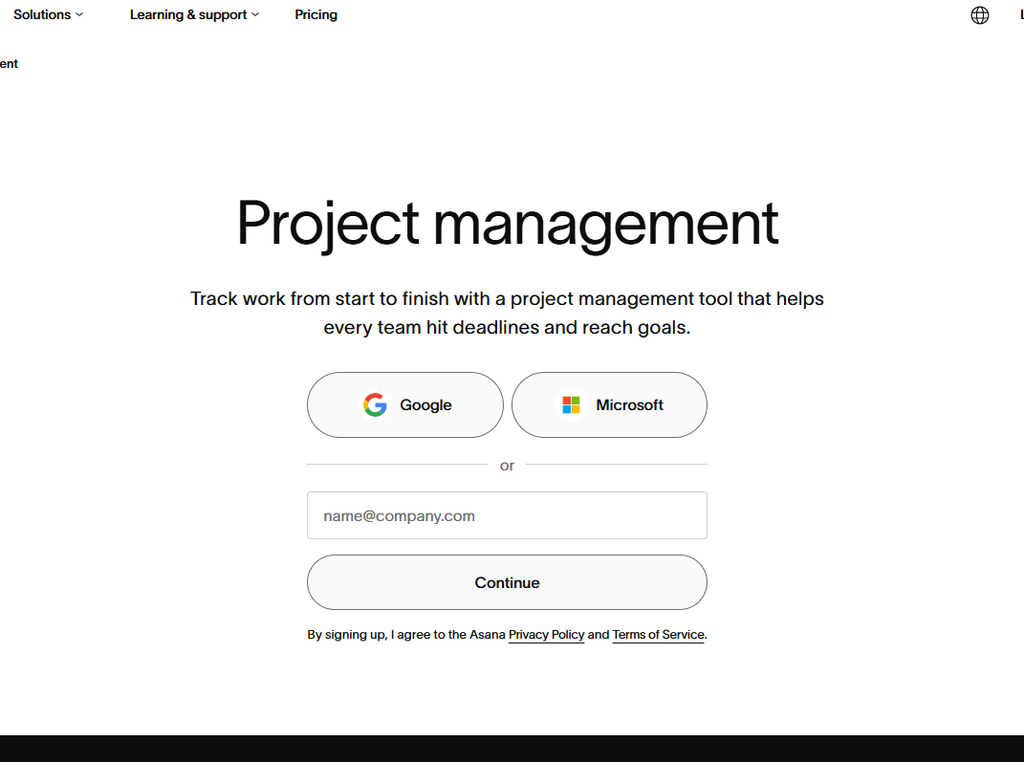
Asana gives buyers an overview of how teams can plan and manage projects in its product.
Accounting software (by Xero)
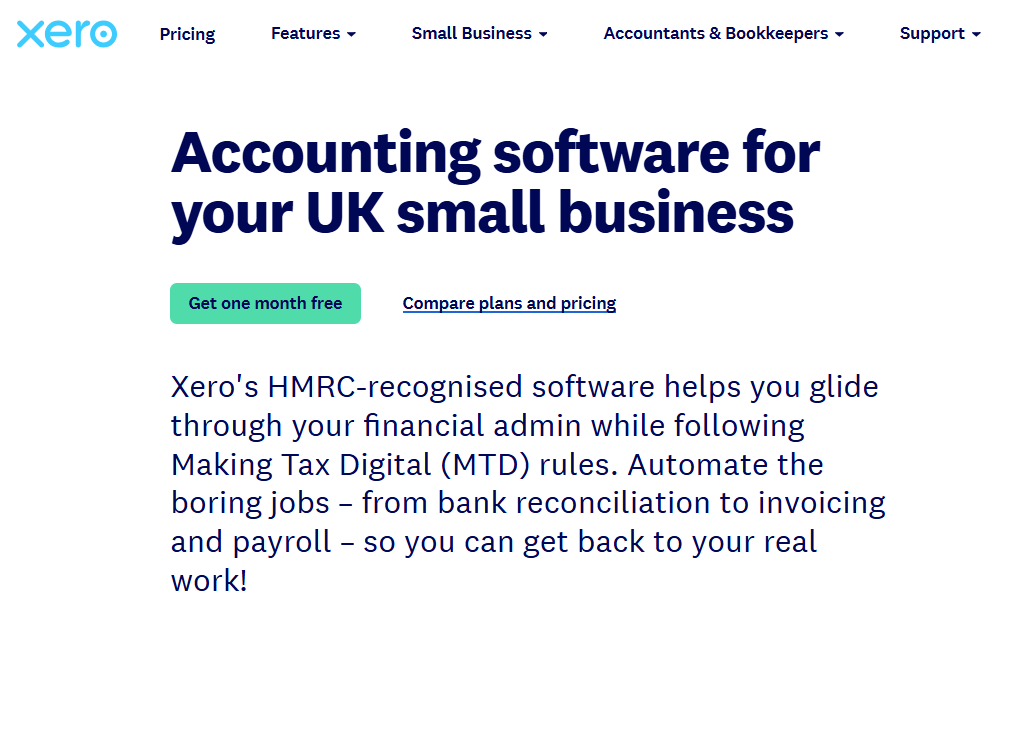
Xero explains what small businesses can do with its accounting software, including keeping track of their finances in one place.
- Intercom introduces its customer service platform and the tools teams can use to handle support. See the Intercom site
- Webflow introduces its website-building platform for designing, building and publishing sites. See the Webflow site
- Typeform shows how people can build forms and gives buyers examples of what they can create. See the Typeform page
Why these searches convert well
People searching for a product category are undoubtedly looking for software. Some are ready to sign up, while others are still working out what different products offer and how much they cost.
The catch is getting in front of them. A broad category term can put you up against established brands, software directories and review sites all at once – so they are usually highly competitive. It’s worth having a page that explains your main product clearly, but for a newer site, a number-one ranking for the broadest term is an ambitious forecast. It’s best to work on your core keyword slowly over-time in the background, whilst focusing on the other categories in this guide to see results from SEO quicker. You can use RevPages SaaS kewyword research tool to identify exactly which keywords could bring in significant sales and revenue the fastest.
How to capture this search demand
Pick one main page for the category. Use your homepage if it already explains that product clearly. If you sell several products, give each one a dedicated page.
- Say what the product does in the first few lines. Give buyers a clear idea of who it’s for and what they can get done with it.
- Show how the main features fit together. A short tour of a real workflow gives buyers a better feel for the product than a wall of feature names.
- Answer the buying questions on the page. Explain how pricing works, what setup involves and which other tools it works with.
- Add proof from customers. Use a relevant case study or a specific result that shows the product handling the job buyers came for.
- Link to more specific pages. Send buyers to the features and industry pages that answer their next question, and link back to the main product page from those pages.
- Check what already ranks. If the broad term is full of directories and big brands, look for a narrower version you can serve especially well while you build up the main page.
How much revenue can these keywords generate?
To see why these terms are attractive, say a page ranks first for “online form builder”, gets 33% of 5,000 monthly searches and converts 5% of visitors into paying customers.
| Keyword | Search volume | Visitors at #1 | Conversion rate | Sales | LTV | Revenue |
| Online form builder | 5,000/month | 1,650/month | 5% | About 83/month | £600 | £49,500 |
Competitor comparison keywords
Format: “[Brand A] vs [Brand B]”
A “product A vs product B” search tells you that the person is close to signing up to one of the two products.
They need to work out some final details before making a commitment, so creating pages to serve these searches will provide timely resources for them, and drive plenty of leads for your product.
Example searches
Example pages
ClickUp vs Asana (by Asana)
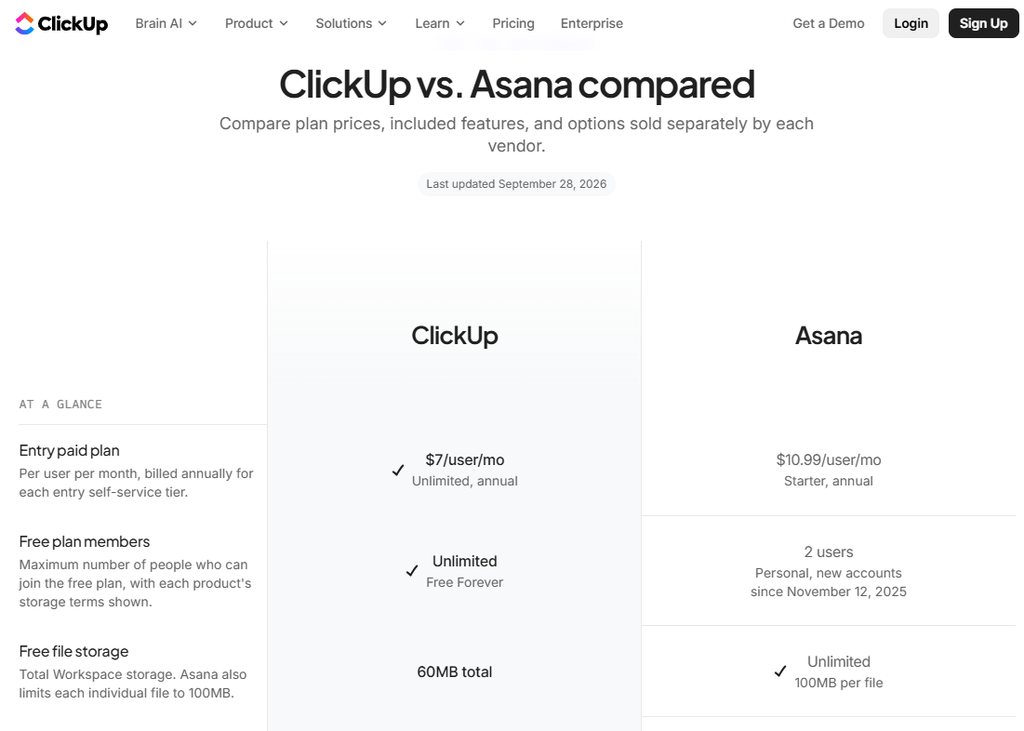
ClickUp vs Asana compares its plans and features with Asana’s, giving teams a way to check where the products differ.
Help Scout vs Zendesk (by Help Scout)
Help Scout vs Zendesk compares Helpdesk with Zendesk and explains where Zendesk has features some support teams may need.
- Webflow vs WordPress compares its website-building approach with WordPress, including how teams build and manage their sites. See the Webflow comparison
- Mailchimp vs Mailerlite explains how it compares with MailerLite for buyers weighing up email marketing platforms. See the Mailchimp comparison
- Jotform compares two other form builders, Tally and Typeform, giving readers another provider’s view of how they differ to capture searchers who aren’t already considering Jotform See the Jotform comparison
Why these searches convert well
A buyer who’s narrowed their options to two tools may be close to a decision. Often there’s one thing holding them up. Can both tools handle their workflow? What will they pay when the team grows? Will they have to rebuild everything if they switch?
Answering those questions can give someone a reason to take the next step. If your product is one of the two they’re comparing, the page can take them straight from that answer to a trial or demo.
The main caveat to these searches is that the searcher already has to be aware of your brand – so it won’t attract brand new leads.
How to capture this search demand
Start with a comparison your sales or support team already hears from buyers. That gives you a head start on knowing what people want to find out.
- Give the short answer first. Explain which buyers each tool suits and what usually tips the decision.
- Compare equivalent plans. Show what the same team would pay on each product. Include seats, usage limits and paid add-ons where they affect the bill.
- Try the same job in both tools. Show how each one handles a task buyers care about, with screenshots or a short walkthrough.
- Be clear about the trade-offs. Say where each tool has the edge and back up any claims about pricing or features with links to the relevant product pages.
- Make the next step fit the question. If buyers are deciding whether they can move over, link to your importer, migration guide or a demo that covers the switch.
How much revenue can these keywords generate?
Say a comparison page ranks first for “Tally vs Typeform”, gets 33% of 1,000 monthly searches and turns 7% of those visitors into paying customers.
| Keyword | Search volume | Visitors at #1 | Conversion rate | Sales | LTV | Revenue |
| Tally vs Typeform | 1,000/month | 330/month | 7% | About 23/month | £600 | £13,860 |
Template and tool keywords
Format: “[Task] template”, “[metric] calculator” or “[output] generator”
These searches come from people who have something to get done. They need to send a proposal, plan a project or work out what to charge. A good template or tool lets them solve their problem – whilst starting a relationship with your brand.
Example searches
Example pages
SEO Proposal Builder (by RevPages)
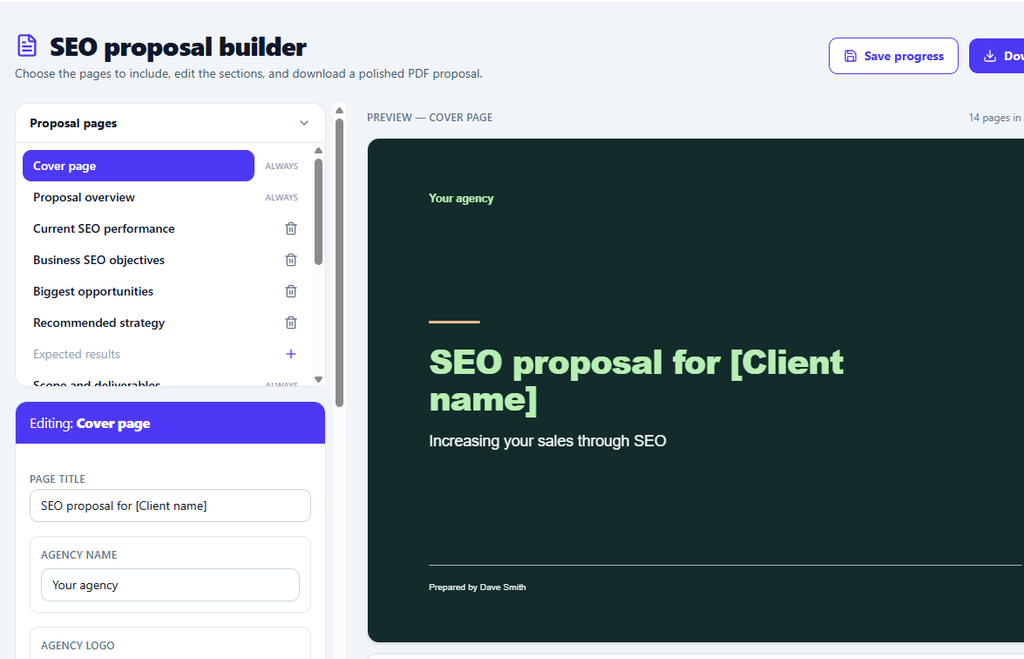
RevPages Proposal builder lets users edit an SEO proposal and download it without signing up.
Project Planning Templates (by Asana)
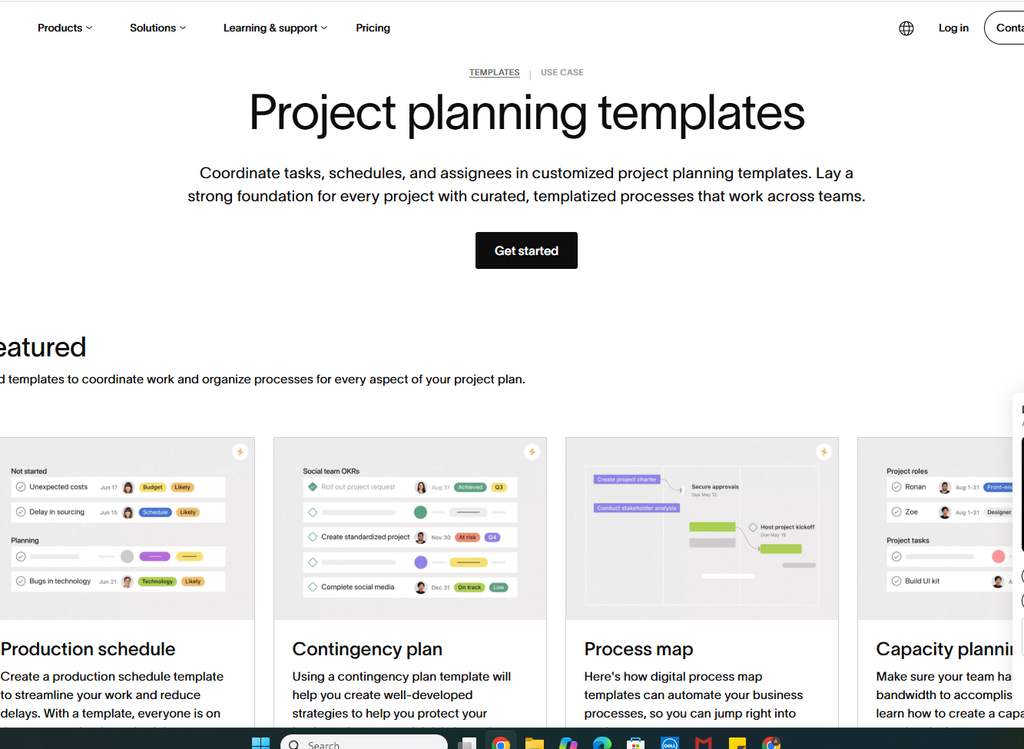
Asana’s templates offers project planning templates people can use to organise work inside Asana.
- HubSpot’s signature generator gives users a generator for creating an email signature they can copy into their email app. See the HubSpot generator
- Shopify’s margin calculator helps sellers work out product pricing using a profit margin calculator. See the Shopify calculator
- Notion’s content calendar offers a basic content calendar people can use to plan and organise their publishing schedule. See the Notion template
Why these searches convert well
Templates and tools can bring in future customers when the free resource is closely tied to the paid product. Someone looking for a content calendar may only need a starting point today. When they start sharing it with a team, assigning work and managing approvals, they have a reason to use the product for more of that workflow – and may move towards trialling the paid product.
Turn hours of keyword research into 90 seconds
How to capture this search demand
Build a resource that gives people something they can use straight away. Choose a job that naturally connects to what your paid product helps them do next.
- Put the template or tool near the top. Let people preview, edit or calculate before asking them to read a long introduction.
- Start with a filled-in example. Give them something realistic to adapt. An agency writing a proposal will get more from sample scope and pricing than from a set of empty headings.
- Make the result easy to take away. Let people copy, export or download their work so they can put it to use.
- Show them how to get a good result. Add short instructions, an example output or a few tips for adapting the resource to their situation.
- Offer a natural next step. After someone’s used the free version, show what they could do with an account, such as saving their work, sharing it with a team or reusing it for the next client.
How much revenue can these keywords generate?
Say a page ranks first for “SEO proposal template”, gets 33% of 2,000 monthly searches and 3% of visitors eventually become paying customers.
| Keyword | Search volume | Visitors at #1 | Conversion rate | Sales | LTV | Revenue |
| SEO proposal template | 2,000/month | 660/month | 3% | About 20/month | £300 | £5,940 |
Why SaaS companies should focus on bottom-funnel keywords
If you want SEO to bring in customers, start with the searches people make when they’re looking for software like yours.
Think about the difference between someone searching for “how to manage a project” and someone searching for “project management software for agencies”. The first person might be looking for a few tips for a project they’ve just taken on. The second is looking for a tool and has already told you what kind of business it needs to work for.
That second keyword might get far fewer searches, but every visit is far more likely to become a customer.
When you’re deciding which pages to build first, look at how many paying customers each keyword could bring in alongside how realistic it is to rank. A specific feature, industry or competitor alternative page can be a better place to start than the broadest keyword in your category, even when the broader term has much more search volume.
RevPages can help you do this by analysing your website with AI, finding your most valuable buying keywords, forecasting their revenue, and showing you which ones you can rank for quickest. You can run a free RevPages report here.
Is it still worth targeting informational keywords?
Yes. Informational content can help you build topical authority by covering the questions your audience has around the problems your product solves. It also builds brand awareness. Someone who finds your guide helpful today may remember your name when they start looking for software in a few months.
The direct conversion rate is likely to be low. Someone who searches “how to write a project brief” usually wants to get the brief written and get on with their day. A few readers might sign up, but most are still a long way from buying. The guide can still play a part in a later sale, especially if it points readers to a relevant template or product page when they need it.
There’s also a lot less traffic from informational content nowadays. Google’s AI Overviews can answer straightforward questions directly in the search results, giving people less reason to visit a website. In a study of US Google searches in March 2025, Pew Research Center found that users clicked a traditional search result on 8% of visits when an AI summary appeared, compared with 15% when one didn’t.
So be selective about the informational topics you cover. A guide with original data, a worked example or a tool readers can use gives them a reason to click and a reason to remember you. If sales and ROI are the priority, build the buying pages first, then use informational content to answer the questions that come up on the way to a purchase.